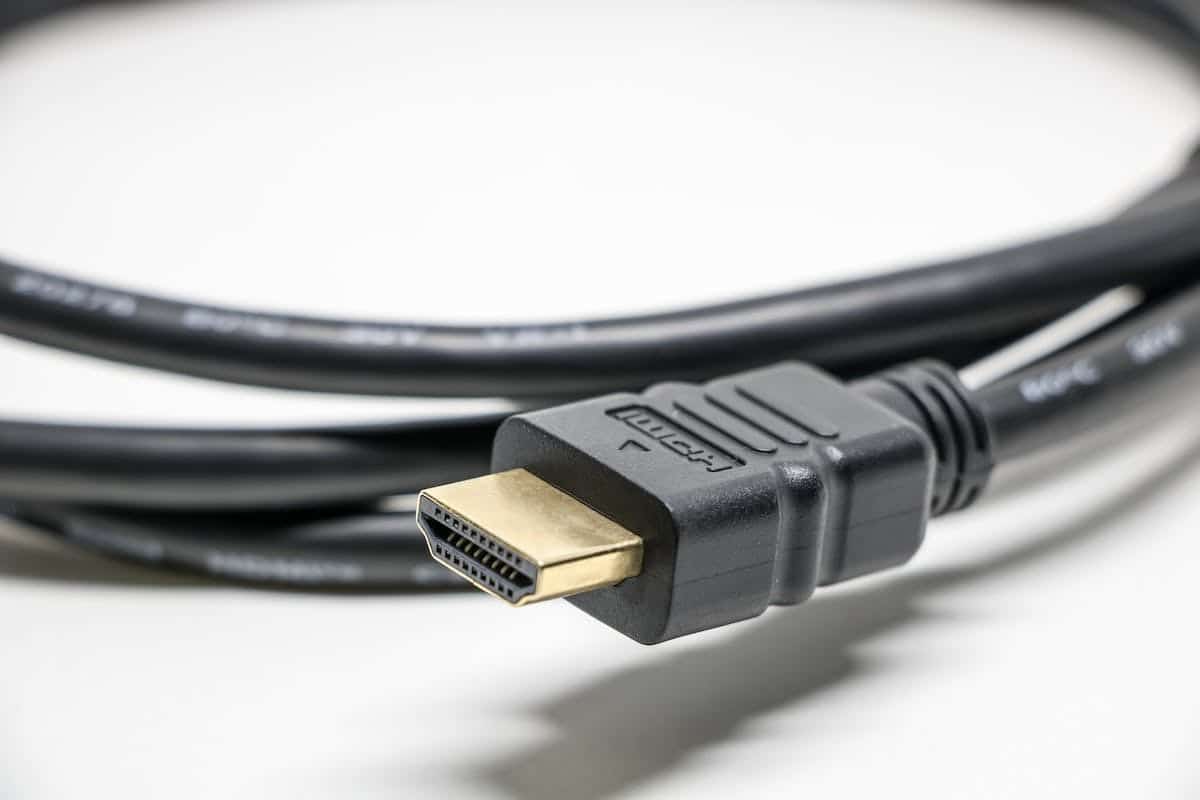
In the world of audiovisual and home entertainment, HDMI cables have become an essential element, connecting our high-definition devices for an optimal audiovisual experience. Despite their importance, sound issues can arise, hindering the quality we expect from such technology. From intermittent sound dropouts to annoying crackling, these problems can stem from various factors such as faulty cables, damaged HDMI ports, or improper device settings. Understanding these common issues and how to resolve them is therefore essential for any home theater enthusiast.
Sound Issues with HDMI Cables 2: What Causes Them
When it comes to sound issues with HDMI cables, it is crucial to precisely identify the causes to resolve them effectively. Among these frequent causes, the first is poor connection of the HDMI cables. A loose or improperly inserted connection can lead to audio signal loss.
Another common cause is the poor quality of the HDMI cable itself. Cheap or damaged cables can cause audio transmission issues, such as crackling and intermittent sound dropouts.
Some devices may not be compatible with each other in terms of audio. For example, if your television is not compatible with certain audio features (like Dolby Atmos), you may experience sound issues when playing from a Blu-ray player or gaming console.
It is also possible that the problem simply arises from a poor audio configuration in your devices. Incorrect settings regarding volume or audio options can lead to a subpar sound experience.
To resolve the sound issue with HDMI on the TV, several solutions are available. Make sure all your cables are properly connected and in good condition. Also, check the HDMI ports on your devices to ensure they are not damaged.
If you are using a television that is incompatible with certain types of HD audio signals like Dolby Atmos, try using an optical output to your home theater system, which will provide better sound quality.
Take the time to check the audio settings of your devices and ensure they are properly configured for an optimal sound experience. It is also recommended to use high-quality HDMI cables that offer better audio signal transmission.
By identifying the possible causes of sound issues with HDMI cables, it becomes easier to implement appropriate solutions. By ensuring you use high-quality HDMI cables and properly configure your devices, you can fully enjoy an immersive audiovisual experience without any problems.

Poor Sound Quality with HDMI Cables: What Are the Consequences
The poor sound quality caused by HDMI cables can significantly impact your audiovisual experience. An audio signal loss due to loose or improperly inserted connections can lead to frustrating interruptions while playing your favorite content. These unexpected cutouts can detract from the immersion and enjoyment you feel when watching a movie or playing a video game.
A mediocre audio transmission resulting from cheap or damaged HDMI cables can affect sound clarity. Unwanted crackling, sound distortion, and even delays in synchronization between sound and image can occur. These issues significantly degrade the overall quality of the auditory experience, thus reducing your satisfaction.
Another detrimental consequence of poor sound quality with HDMI cables is that it limits your options for advanced audio features. For example, if you have invested in a high-end home theater system that supports immersive audio formats such as Dolby Atmos or DTS:X, but your television does not allow their transmission via HDMI, you will be forced to forgo these premium features.
It is worth noting that some modern electronic devices offer additional features such as passing through 4K HDR (High Dynamic Range) video signals as well as support for Dolby Vision. If your HDMI cables are outdated or of poor quality, this can lead to a degradation of the visual and audio quality of your high-definition content.
It should be emphasized that these problems can not only impact your personal experience but also during professional use. For example, if you use HDMI cables for professional presentations or important audiovisual events, poor sound quality can tarnish your company’s image and negatively affect the audience’s perception of you.
To remedy these undesirable consequences of poor sound quality with HDMI cables, you should use certified HDMI cables that offer better audio signal transmission.
Resolving Sound Issues with HDMI Cables: Solutions
One of the simplest solutions to resolve sound issues with HDMI cables is to ensure that all connections are properly inserted. Carefully check each end of the HDMI cable, making sure it is securely connected to the respective ports of your electronic devices. Once this is done, it may be helpful to turn your devices off and on again to reconfigure the connection.
If the problem persists despite these checks, it is recommended to use certified HDMI cables. These cables meet specific standards and guarantee better audio transmission quality. They are designed to support higher data rates and thus minimize the risk of audio signal loss or interruption. Choosing a certified HDMI cable can greatly enhance your auditory experience.
Another solution is to use an amplifier or audio splitter compatible with the audio format you wish to use. These devices extend the range of the audio signal transmitted by the HDMI cable and often provide better sound quality due to their advanced amplification or sound distribution capabilities.
There are also HDMI to optical adapters that can be used if you encounter particular difficulties with audio transmission via a standard HDMI cable. By converting the signal to optical output, you can then connect this adapter to an external audio system such as an AV receiver or soundbar to improve overall sound quality.
In some cases where your system configuration is more complex, it may be necessary to consult a professional or the manufacturer’s technical support. These experts can guide you in accurately identifying the problem and proposing solutions tailored to your specific situation.
Sound issues with HDMI cables can be frustrating, but they are not insurmountable. By taking care to check your connections, using certified HDMI cables, and exploring different options such as audio amplifiers or HDMI to optical adapters, you can resolve these issues and fully enjoy an immersive audiovisual experience without interruption.
Errors to Avoid with HDMI Cables for Perfect Sound
When using HDMI cables for sound, you should not pull or excessively bend the HDMI cables. They are sensitive to physical damage, and mishandling can lead to connectivity issues and weakened audio signals.
Avoid plugging or unplugging HDMI cables while your electronic devices are powered on. This action could cause electromagnetic interference that may disrupt sound transmission. It is best to turn off all your equipment before proceeding with the necessary manipulations.
Another mistake to avoid is using non-certified adapters with HDMI cables for sound. Generic adapters may not be compatible with your specific setup and can cause malfunctions in the audio signal. Always opt for adapters recommended by the manufacturer to ensure optimal compatibility.
You should note that excessive HDMI cable length can lead to audio signal degradation over long distances. If you need an extended connection, use an active extender that will effectively amplify the signal without noticeable loss in sound quality.
Ensure that all your electronic devices are using the latest version of the available HDMI protocol (such as HDMI). Older versions may have certain limitations regarding audio transmission capabilities, particularly in terms of compatibility with high-resolution audio formats. It is therefore advisable to keep your devices updated to maximize sound quality.
By avoiding excessive pulling or bending of HDMI cables, refraining from manipulations while powered on, and using certified adapters, you can ensure an optimal audio experience. Use an active extender if necessary and ensure that all your devices are compatible with the latest HDMI standards. With these simple yet essential measures, you will be able to fully appreciate the sound quality offered by your audiovisual setup.
Alternatives to HDMI Cables for Better Sound: Which to Choose
When you encounter common sound issues with HDMI cables, it is always helpful to explore alternatives to improve audio quality. While HDMI cables are generally reliable and offer excellent audio transmission, there are other options to consider to maximize your sound experience.
A popular alternative to HDMI cables is the use of optical fibers. Fiber optic cables use a light signal rather than an electrical signal to transmit sound between your electronic devices. This transmission method offers several advantages, including increased protection against electromagnetic interference and greater transmission distance without loss of sound quality.
Another option to consider is the use of Wi-Fi or Bluetooth. These wireless technologies also allow for audio transmission between your electronic devices.
Tips for Choosing the Ideal HDMI Cable and Optimizing Sound
When seeking to achieve optimal sound with an HDMI cable, certain essential criteria must be taken into account. Here are some tips for choosing the right cable:
Consider the version of the HDMI cable. Newer versions, such as HDMI, offer better audio transmission capacity and also support advanced audio formats such as Dolby Atmos.
Pay attention to the length of the cable. In some cases, long cables can lead to sound quality loss due to signal attenuation over long distances. It is also important to consider the conductor diameter. A larger diameter will allow for better electrical conductivity and minimize potential disturbances that could affect sound quality.